

Features 세모반
This is Triangle, your own pet diary that you can keep track of through records.It records your pets weight, nutritional supplements, abnormal symptoms, urine and feces, food, medical records, etc.
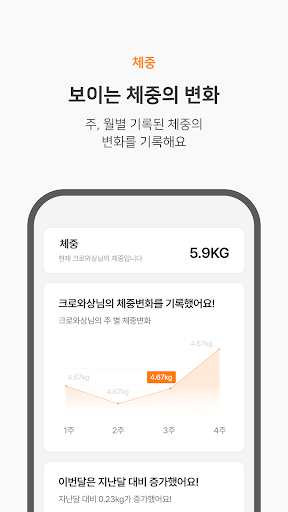
and provides schedule notifications.log in- Social login (Kakao, Naver, Google) availablehome- Dog registration available- For each dog, you can check the current weight, nutritional progress, list of abnormal symptoms, frequency of defecation and urination, and recommended daily food intake.- Announcements can be checkedMy Info- User profile image can be modified- Dogs can be edited/deleted- Logout and membership withdrawal possible- Ability to receive push notificationsweight- Record your pets weight by date- Weight changes can be checked weekly/monthly in graphsNutrients- Nutrient information can be recorded- Automatically record and check nutritional routines- You can set whether to activate notifications for nutritional supplementsAbnormal symptoms- Abnormal symptoms can be recorded- Records of abnormal symptoms can be checked by date/timetoilet- Possible to record defecation and urine- Possibility to set whether or not to expose urine and feces photos- You can check records by date/hour of defecation.feed- Feed record possible- Feed can be changed through search- Feed ingredients (ash, crude protein, etc.) can be checked through graphs- You can check the list of food you have eaten before
Social Features
Connect and share with friends and the community.
Camera Features
Advanced camera features with editing capabilities.
Learning Tools
Enhance your learning experience with interactive features.
See the 세모반 in Action

Get the App Today
Available for Android 8.0 and above